All services

Checkout tech rescue

POS and receipt-printer help in Los Angeles for restaurants, cafés, shops, and salons.

When receipts stop printing, tablets drop Wi‑Fi, or checkout devices go offline, the problem may be the printer, router, network, cash drawer, tablet, or POS platform. Tech Genie helps distinguish an on-site equipment or network issue from a problem that requires the POS provider.

POS receipt printer help Los AngelesReceipt printer not printing Los AngelesRestaurant receipt printer help Los AngelesRestaurant printer not printing Los AngelesKitchen printer not printing Los Angeles

Checkout, kitchen, and front-desk systems

Find the failed layer before changing a working POS setup.

A receipt-printer outage can begin at the printer, one station, the local network, the internet connection, or the POS platform. The first visit is designed to narrow that path without blind resets or payment-account access.

Looking for safe checks to try before booking? Read the receipt-printer troubleshooting guide. Book an onsite diagnostic when the checks do not solve the problem or a vendor handoff is needed.

Customer-controlled: credentials, MFA, payment screens, and approval for disruptive changes.

Useful handoff: what was tested, what works, what failed, and who owns the next action.

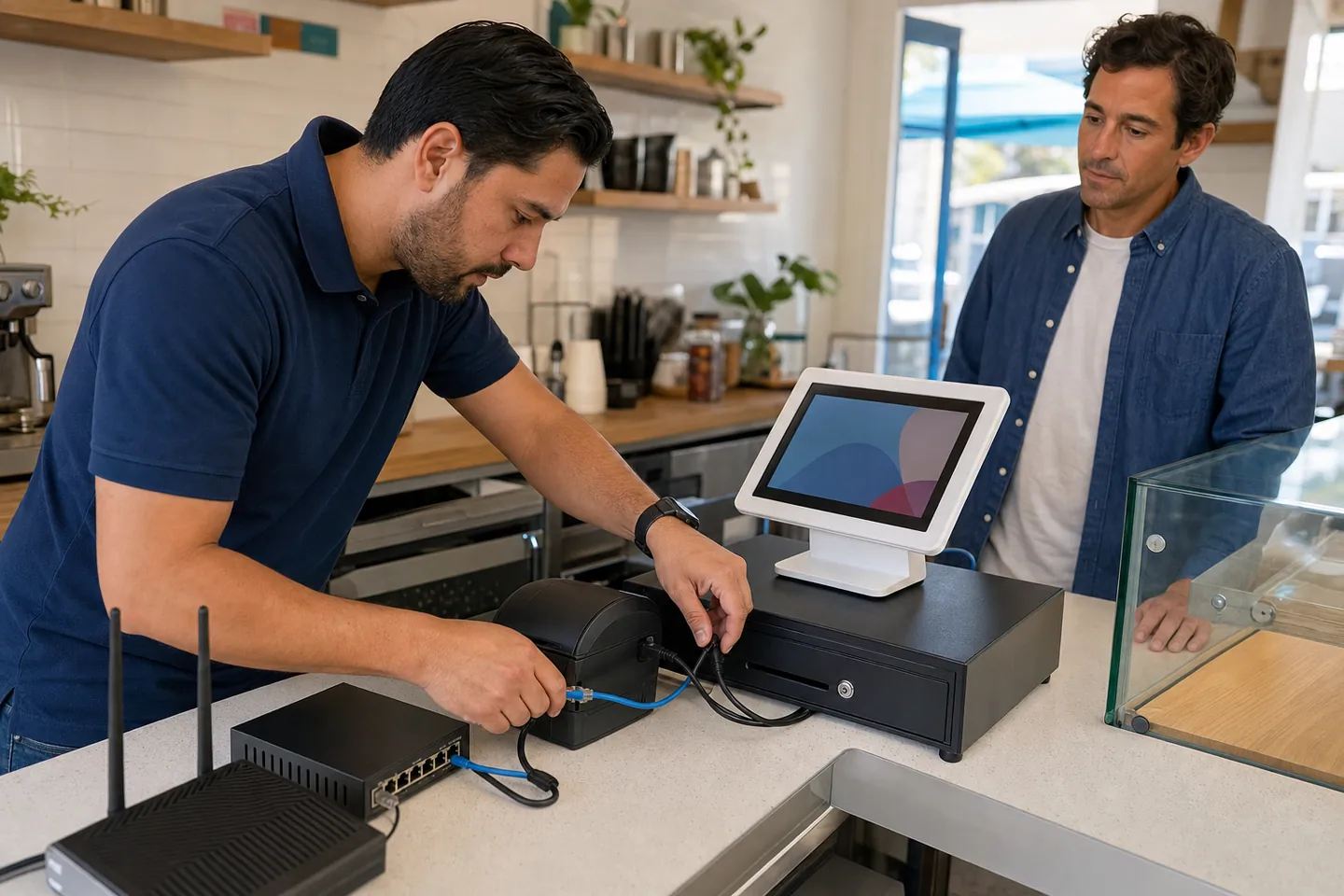
Tech Genie technician checking a receipt printer and POS network at a Los Angeles business

Local printer, station, and network troubleshooting—with payment-system issues left to the provider.

Start with the symptom

Which receipt-printer problem matches what the business sees?

Choose the closest symptom to begin troubleshooting. This is an initial assessment; the identified component may not be the final cause.

Self-test works; POS will not print

The printer can print by itself, but orders or receipts never reach it from the POS.

Check first

Ethernet, USB, or Bluetooth path; IP reachability; station assignment; queue state; and recent router or app changes.

Likely next owner

Local network or POS configuration first; the POS vendor owns platform routing and account-side settings.

Do not improvise

Do not delete the printer, re-pair every station, or change its IP before the current setup is documented.

Receipt-printer symptom, first checks, and likely support owner matrix
SymptomFirst checksLikely support owner
No power or self-testOutlet, power adapter, cable seating, paper cover, error lights, and the model's safe feed/self-test procedure.Printer power, consumables, or hardware; the manufacturer or replacement path may own the final fix.
Self-test works; POS will not printEthernet, USB, or Bluetooth path; IP reachability; station assignment; queue state; and recent router or app changes.Local network or POS configuration first; the POS vendor owns platform routing and account-side settings.
Only one tablet or station failsThat station's connection, printer assignment, app state, permissions, and whether it is on the expected network.Station setup or POS app configuration; vendor help may be needed if the app will not retain its assignment.
Every station failsISP status, modem/router, switch, access points, cabling, shared printer reachability, and POS service status.Network, ISP, shared hardware, or a POS-platform outage; the first job is to separate those paths.
Wrong printer or duplicate ticketsPrinter names, station and category routing, duplicate queues, device assignments, and the last known configuration change.Usually POS routing or queue configuration; Tech Genie can document the local printer map for vendor handoff.
Blank, faint, or partial printCorrect thermal paper orientation, compatible stock, cover seating, visible debris, print test, and model-specific error state.Consumables or printer hardware; a manufacturer, repair depot, or replacement may be the practical next step.

What Tech Genie can check onsite

  • Receipt and kitchen printer power, paper path, built-in self-test, error lights, and safe test print
  • POS tablet or workstation connection over Ethernet, Wi‑Fi, USB, or Bluetooth where supported
  • Router, access point, switch, cable, port, IP reachability, and local network path
  • Which stations work, which fail, when the problem began, and what changed before the outage
  • A clear local-device/network finding and an organized handoff when the POS, ISP, or printer vendor must take over

What stays with Square, Toast, Clover, or the processor

  • Merchant-account access, deposits, refunds, chargebacks, subscriptions, and processor settings
  • Card-reader activation, payment acceptance, PCI/compliance decisions, and payment-terminal certification
  • POS cloud outages, account permissions, menu or category routing that only the vendor can change
  • Warranty authorization, proprietary printer firmware, or hardware repair that requires the manufacturer

Tech Genie will not request card data, process a test payment, bypass a payment control, or make merchant-account changes.

Safe pre-visit information

Send operational context, not secrets. Never put passwords, MFA codes, card data, customer records, transaction details, or private files in the request.

  1. 1Business type, service address or ZIP, best contact, and a safe arrival window
  2. 2POS, tablet, and printer brand/model from the outside label—plus wired, Wi‑Fi, USB, or Bluetooth if known
  3. 3The exact symptom, when it started, what still works, and whether one station or every station is affected
  4. 4Any recent router, ISP, tablet, POS app, cable, switch, or printer change
  5. 5A cropped error code or device-label photo only if requested; hide orders, names, card data, QR codes, and account details

Starting scope

$175+ diagnostic visit, with findings and recommendations

The starting visit covers bounded onsite triage. Final price depends on travel, timing, number of stations, access, and whether the work stays a focused diagnosis or becomes a larger repair or project.

  • Safe symptom reproduction and working-versus-failed station map
  • Low-risk local checks and test print where the hardware and app support it
  • Clear finding: printer, station, cabling, network, ISP, POS vendor, or still inconclusive
  • Changes made, approval notes, retest result, and next owner when another provider must continue
  • A separate quote for replacement hardware, cabling, network cleanup, after-hours work, or a larger multi-station project

Repeat-outage prevention

If checkout keeps failing, build service history instead of restarting from zero.

A one-time visit can document printers, station names, connection paths, network gear, vendor contacts, and the last known working state. Monthly care may help when repeat downtime, multiple stations, or vendor handoffs justify organized follow-up; it is never required for a first visit.

POS and receipt-printer FAQ

Questions before an onsite visit

Can Tech Genie troubleshoot Square, Toast, Clover, or another POS system?

Tech Genie can troubleshoot the local network, printer, tablet, cash-drawer, cabling, and connectivity side around POS workflows. Vendor-specific accounts, payment processing, terminals, deposits, refunds, and compliance issues stay with the POS or payment provider.

What should I check before booking receipt-printer help?

Check whether the printer has power and paper, whether its built-in self-test works, whether one or every station is affected, whether internet works for other devices, and whether the POS provider reports an outage. Avoid factory resets, printer deletion, or network changes unless the setup is documented and the change is approved.

Can you help with kitchen printers and multiple checkout stations?

Yes, within a scoped onsite visit. Tech Genie can map which station sends to which local printer, test connectivity, and separate a printer or network problem from POS routing that the vendor must change. Multi-station work, after-hours testing, cabling, and replacement hardware may need a separate quote.

What information is safe to send before the visit?

Send the business type and ZIP, printer and POS brands or model numbers, the exact symptom, when it began, what still works, and whether anything changed. Do not send passwords, MFA codes, Wi-Fi keys, card or transaction data, customer records, merchant details, private files, or uncropped payment-screen photos.

How much does POS or receipt-printer troubleshooting cost?

Urgent onsite triage starts at $175. Travel, timing, number of stations, access, and scope affect the final price. Hardware, cabling, network cleanup, disruptive after-hours work, and larger multi-station projects are quoted separately before that work begins.

Can you help prevent repeat checkout or printer outages?

Yes. A visit can leave a printer and station map, network notes, vendor ownership, changes made, and a last-known-working test. Optional monthly care can preserve that service history and organize follow-up when repeat downtime or multiple devices make recurring support worthwhile.

Core service areas

Check service availability in your area.

Choose an area below for local coverage details, then submit your request from this service.

Checkout tech rescue

Book POS receipt-printer and checkout network help.

Tell us your business type and ZIP code, any POS, printer, or tablet brands you know, what stopped working, and whether customers or staff are blocked. Do not include payment, card, or account details.

Pick the closest service. You can add details before sending the request.

Protect your privacy

Describe the symptom, device, room, and timing—not passwords, codes, or private files.

Clear booking status

Available times book immediately. Requested windows need confirmation by call or text.

LA-area mobile service

Your private service address helps Tech Genie account for travel and offer a realistic arrival window.

1. Service2. Window3. Details

What kind of help do you need?

Pick the closest match. You can explain the details later.

Choose the closest problem

POS / Receipt Printer Support

$175+ · urgent checkup

Offline printers, scan setup, drivers, queues, and office workflows.

Tech Genie is not a licensed contractor. Construction-related work is limited to casual, minor, or inconsequential projects totaling less than $1,000 for labor, materials, and all other items, requiring no building permit, and performed without employees or paid helpers.