
Network cabinet, closet, and rack cleanup in Los Angeles
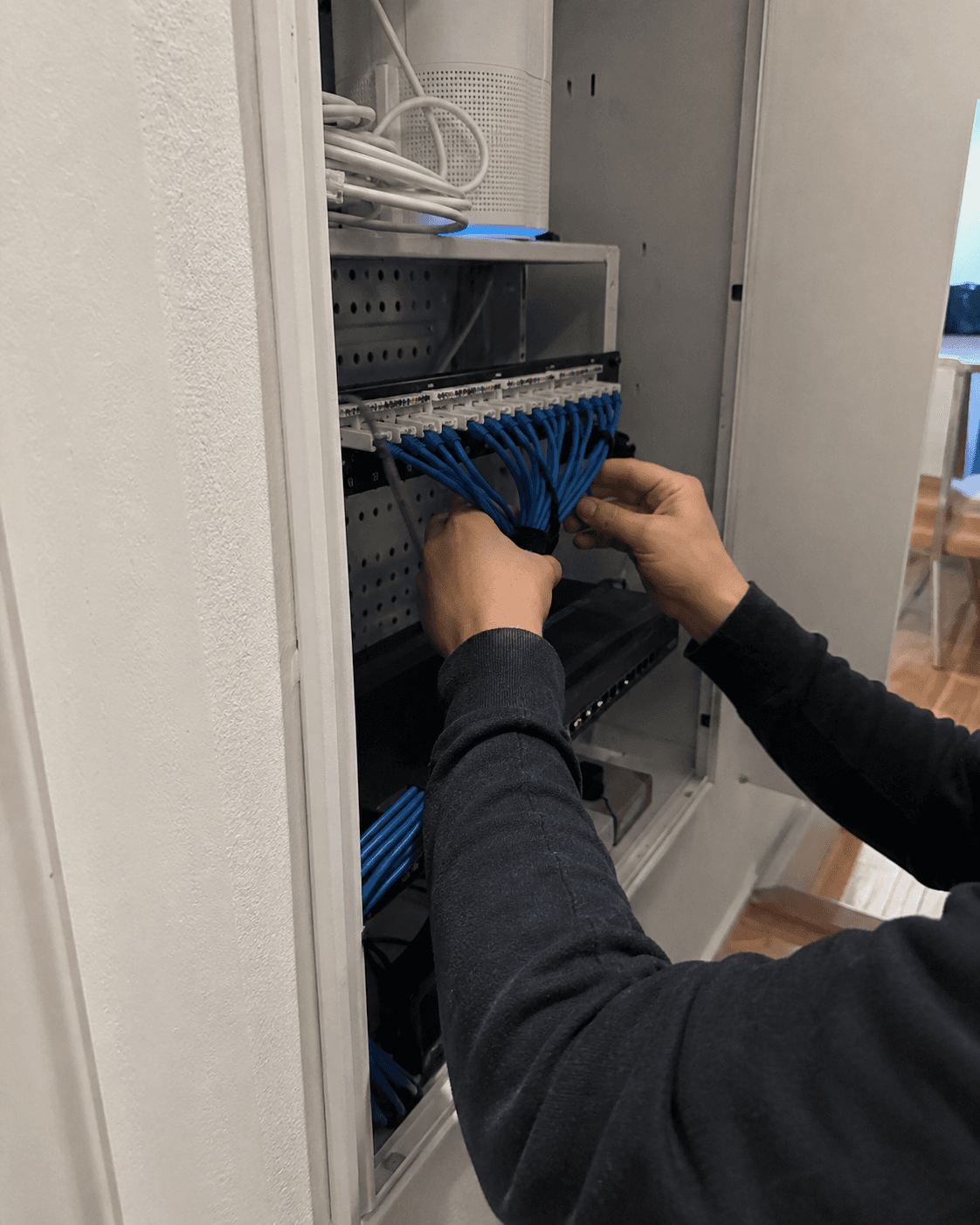
Network cabinet and rack cleanup in Los Angeles.
When cables are unlabeled and no one knows which box does what, even a small outage is hard to trace. We identify the active connections, organize the agreed equipment and document the setup. Any work that could interrupt service is planned with you first.
In the quote request, include the ZIP, site type, what is down or messy, and whether cameras, POS, phones, or Wi‑Fi must stay online. No passwords, access codes, or camera footage.
What we organize
Know what each connection supports.
Effective cleanup begins by identifying what each component supports, protecting uptime, labeling connections, and documenting the setup for future service.
Switch and patch-panel mapping
Trace priority connections and record their ports before moving cables. Unknown lines are investigated, not unplugged to see what happens.
Network cabinet and rack cleanup
Review racks, cabinets, patch cords and equipment placement. Agree an outage window for changes that cannot be made while the network is in use.
Camera, NVR, and access-point context
Identify the connections serving cameras, Wi-Fi, printers, POS and computers so critical equipment is accounted for during cleanup.
Labels and equipment notes
Leave port labels, approved photos and equipment notes, including unresolved connections and work that needs a separate estimate.
Recommended for
Reasons to schedule a cabinet review
- A small office, shop, studio, clinic, restaurant, property, or home office has a messy network cabinet or closet no one wants to touch.
- Switches, patch panels, access points, cameras, NVR/DVR gear, printers, or workstations are hard to identify during outages.
- You inherited a setup from another installer, MSP, tenant, owner, or employee and need safe documentation before changes.
- The site needs a project estimate for patch cords, labels, rack parts, access points, wiring, camera/network cleanup, or monthly care.
Cleanup process
Trace and label before moving cables.
- 1Photograph and review the current state before unplugging or moving anything.
- 2Confirm what must stay online: cameras, POS, phones, Wi‑Fi, computers, printers, NVR/DVR, server/NAS, alarms, or building systems.
- 3Trace and label the practical pieces first: modem, router/firewall, switches, patch panel, uplinks, access points, camera recorder, and priority devices.
- 4Separate quick cleanup from projects that require an estimate, such as new patch panels, rack hardware, cable testing, wall or ceiling work, after-hours cutovers, or recurring monitoring.
- 5Leave a simple report: what was identified, what changed, what should not be touched, and what should be quoted next.
Scope and safety boundaries
A messy cabinet can hide business-critical cables.
Tell us which services must stay online and when an outage is acceptable. New wiring, electrical work, vendor-managed equipment and after-hours changes are scoped separately.
Do not send network admin passwords, Wi‑Fi keys, camera footage, alarm/access codes, building access codes, private client data, or recovery/2FA codes through forms or texts.
Unknown cables, patch-panel ports, switch uplinks, camera/NVR lines, POS/phone lines, and alarm/building-system wiring should not be cut or unplugged without approval and downtime planning.
Electrical, alarm, life-safety, fire, access-control, gate, landlord, and permitted low-voltage work stays with the proper trade, vendor, owner, or authority.
Firmware updates, factory resets, VLAN/firewall changes, switch replacements, camera/NVR changes, and after-hours cutovers require explicit approval because they can cause downtime.
Small offices and shops
Clean up the network corner that supports POS, phones, printers, cameras, Wi‑Fi, and workstations.
Camera and NVR sites
Tie camera reliability back to switches, PoE, recorder placement, labels, and network notes.
Project recommendations
Know what should be fixed now, estimated for later, handled after hours, or referred to a specialist or manufacturer.
Do not unplug an unknown cable.
We identify critical connections and agree any interruption before changing them.
Cabinet and rack service
Network cabinet service examples
Examples of cable routing, labels, connection checks and equipment notes.
See the checks, decisions, and documentation included with service.
Equipment placement, testing, labels, and clear service notes are part of the work.
Project quote request
Tell us about your project.
Choose the closest project type and share the site, timing, and contact details Tech Genie needs to follow up.