Small offices, shops, and studios
When Wi‑Fi, printers, cameras, POS, workstations, or back-office devices keep interrupting real work.

Network Guardian
For sites with cameras, switches, access points or a cabinet that needs regular attention. An initial review establishes the equipment and work before a recurring plan is quoted.
The point
Network Guardian turns a messy site into a known site: what gear exists, what is labeled, what is risky, what was already quoted, and what deserves follow-up.
Inventory
Key devices, labels, photos, and site notes
Risk list
Weak spots, old gear, messy power, and repeat failures
Roadmap
Planned repairs and upgrades with separate estimates
Care schedule
Approved checkups and priority support for recurring needs
Service highlights
Review cabinet, camera, access-point, and business network documentation designed to reduce repeat troubleshooting.
See the checks, decisions, and documentation included with service.
Equipment placement, testing, labels, and clear service notes are part of the work.
When Wi‑Fi, printers, cameras, POS, workstations, or back-office devices keep interrupting real work.
When recordings, remote viewing, app access, camera uptime, storage, or network health should be checked instead of guessed.
When equipment and cable labels are missing, making faults difficult to trace.
When recurring wireless faults need configuration and placement records for diagnosis.
What gets reviewed
This recurring plan is designed for locations with cameras, access points, switches, racks, network cabinets, printers, and other business-critical devices.
Important boundary
Network Guardian is not active monitoring or remote access unless the customer approves that exact scope. It begins with documentation and reports; ongoing support is added only with written approval.
Router, modem, switch, access point, camera, recorder, printer, and key-device inventory
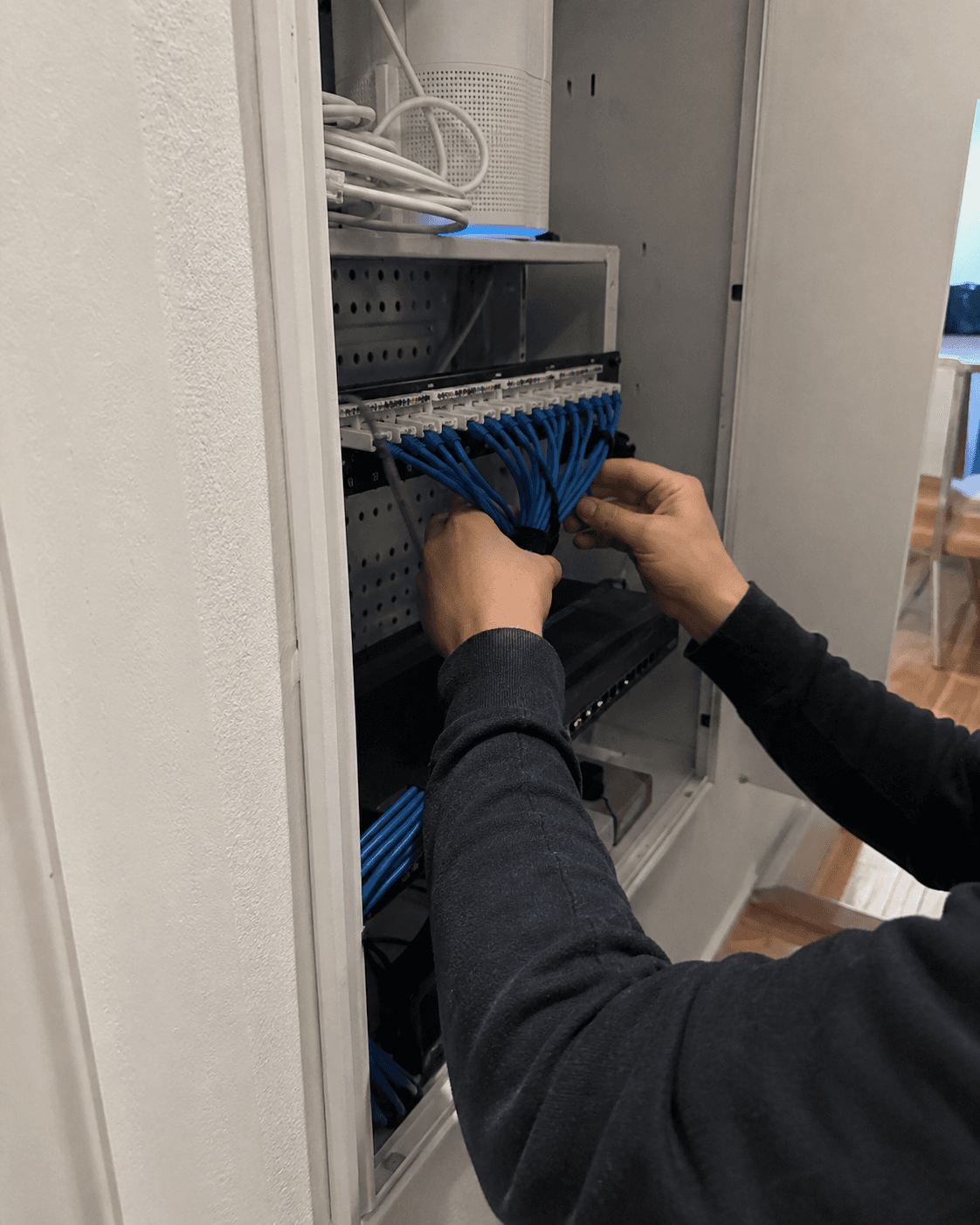
Network cabinet or rack photo notes, labels, risk list, and cleanup priorities
Camera recording, remote-viewing, storage, and network reliability notes when applicable
Wi‑Fi weak-zone notes and a path to heatmap, access point, mesh, or wiring recommendations
Backup, update, and basic security posture observations without collecting credentials
Clear service report, project roadmap, and monthly-care recommendation when appropriate
How recurring care starts
The proposal follows a site review. It sets out the equipment covered, check schedule, access permissions and separately billed work.
1
A diagnostic, cabinet cleanup quote, camera tune-up, or business IT checkup documents the real setup first.
2
Important devices, labels, photos, risk notes, recommendations, and report history get organized for future visits.
3
Recurring checkups, priority scheduling, and remote support rules are clearly approved before anything becomes active.
4
Cabling, mounting, rack parts, cameras, switches, access points, and after-hours work stay separate and approved.
Safe by design
When another service is better
Best entry points
These starting points document the setup before any recurring plan is recommended.
Start here if equipment identification and cable organization are the immediate problem.
View pathUse this when cable runs, wall plates, access points, camera wire, or cleaner infrastructure may be needed.
View pathGood when cameras, NVRs, app access, recording health, storage, or remote-viewing reliability need review.
View pathBest for owners who need Wi‑Fi, printers, computers, cameras, network gear, and recurring support reviewed together.
View pathReport first, plan second
After the visit, you receive a clear report and an itemized recommendation for the next step. Network Guardian is recommended only when the setup would benefit from ongoing care.
What you can expect
Compare the proposed checks and coverage with the support your site needs. Equipment records, labels and periodic reviews can be included. Hardware and larger projects remain separately quoted; the plan starts only with your approval.
Fast callback
Send the site type, gear involved, repeat problems, and callback window. Tech Genie can confirm whether to start with a cabinet review, camera/network checkup, business IT visit, quote, or recurring-care conversation.
Keep it short: problem, ZIP, timing, and best callback number.
Tech Genie is not a licensed contractor. Construction-related work is limited to casual, minor, or inconsequential projects totaling less than $1,000 for labor, materials, and all other items, requiring no building permit, and performed without employees or paid helpers.