Older plaster and metal lath
Some older LA homes have wall assemblies that weaken Wi-Fi far more than ordinary drywall. One centrally placed router may never cover every room cleanly.

Wi‑Fi & Networking
If Wi‑Fi works beside the router but drops at your desk, another extender may not solve it. Walls, metal furniture, interference, and a weak connection between mesh nodes can all leave one room without reliable service. Compare the same device in both locations before deciding what to move or replace.
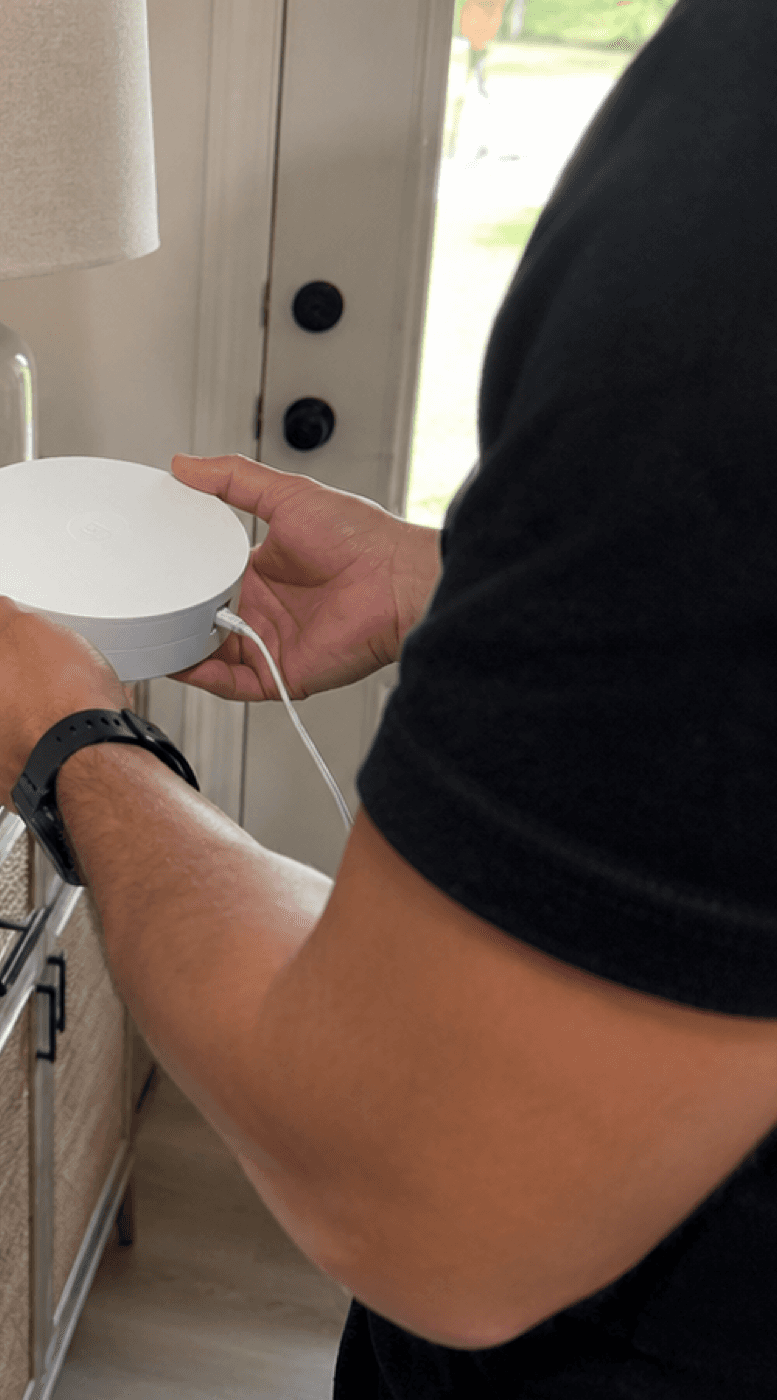
Guide updated
Check the symptoms before changing the setup.
Compare rooms using the same test
A useful Wi-Fi walk test compares signal and real performance at the places that matter. A single speed test beside the router cannot explain a dead bedroom, unreliable camera, or freezing office call.
Turn off cellular data for the test. Disconnect a VPN only if the device owner allows it and no work or security policy requires it. Use the same phone or laptop, the same speed-test service, and the same Wi-Fi network in every room.
Stand several feet from the main router and record signal, download, upload, and latency. This separates a coverage problem from an ISP or gateway problem.
Test at the desk, TV, camera, printer, bed, patio seat, or workbench, not just in the middle of a hallway. Wait 30–60 seconds after moving so the device can roam.
Evening congestion, neighboring networks, microwaves, Bluetooth, and busy household devices can make a daytime test look better than the real experience.
Read the signal
Signal strength is a negative number: −50 dBm is stronger than −75 dBm. These ranges are approximate, not guarantees; device radios and environments vary.
−30 to −50 dBm
Excellent
Strong enough for demanding use in most conditions.
−51 to −67 dBm
Good
Usually reliable for calls, streaming, and normal work.
−68 to −75 dBm
Marginal
May work, but roaming, cameras, calls, and uploads can become inconsistent.
Below −75 dBm
Weak
Expect dropouts, retries, or devices that cling to another access point.
Strong signal does not guarantee fast internet. ISP speed, channel congestion, interference, latency, router load, and the device itself can still be the bottleneck.
Choose the right fix
| Option | Usually best for | Watch out for |
|---|---|---|
| Move the router | A small space where the router is hidden, low, or at one edge of the home. | A better position may need a longer Ethernet or coax run and a safe power location. |
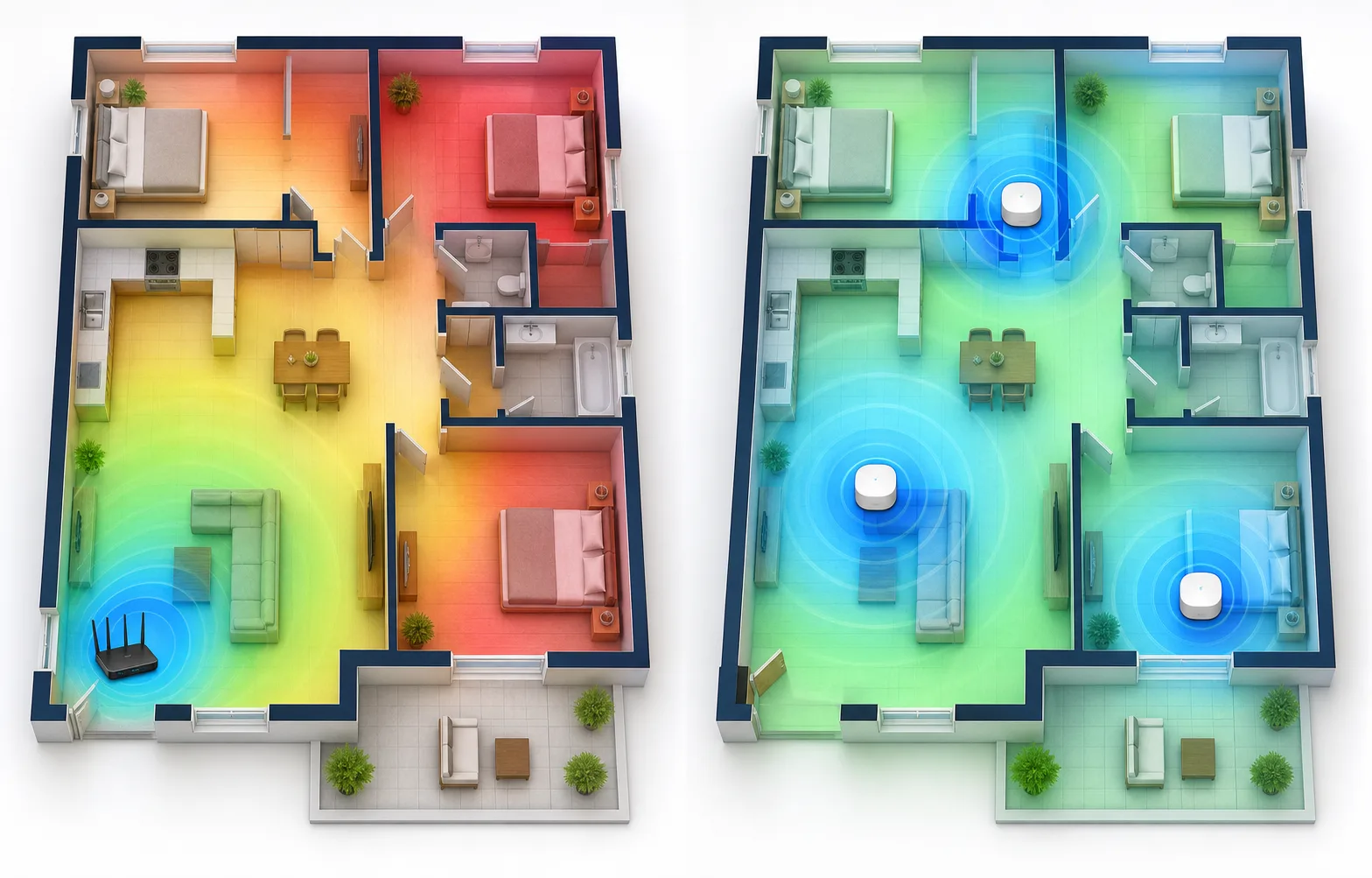
| Mesh Wi-Fi | Homes where wiring is impractical and each node can still receive a strong upstream signal. | A node placed inside the dead zone repeats a poor connection. Wireless backhaul also uses airtime. |
| Wi-Fi extender | One low-demand area where budget matters more than seamless roaming or maximum speed. | Extenders can add another network name, latency, and troubleshooting complexity. |
| Wired access point | Business work, cameras, large homes, detached rooms, or anywhere reliability matters most. | Usually the strongest answer, but cable path, mounting, switch capacity, and labor need a quote. |
Los Angeles spaces
Coverage plans should match the walls, neighboring networks, floor plan, and where people actually work, not a generic square-footage promise on a product box.
Some older LA homes have wall assemblies that weaken Wi-Fi far more than ordinary drywall. One centrally placed router may never cover every room cleanly.
Exterior materials, utility panels, mirrors, appliances, and converted garages can create sharp boundaries where the signal suddenly falls off.
The signal can look strong while shared channels are crowded. Throughput and latency at busy hours matter alongside dBm.
A backyard office often needs Ethernet, fiber, or a properly aligned wireless bridge. An indoor extender near the main house is rarely a dependable long-term plan.
Compare coverage options
Compare a visual heatmap, mesh placement, and wired access-point options. Do not factory-reset a working network unless the owner has the settings and approves the outage risk.
How Tech Genie helps
We can investigate the symptoms, explain the findings, and carry out the work you approve. Unresolved issues and provider referrals are included in the service notes.
FAQ
Not exactly. Many extenders repeat the signal they receive, so if they sit in a weak area they can repeat a weak connection. Mesh systems can work better, but placement still matters.
Speed cannot be guaranteed without checking the ISP plan, modem, router, layout, interference, and device limits. Tech Genie identifies the bottleneck and recommends the most effective improvement.
Keep troubleshooting
Wi‑Fi bars do not prove internet access. Find out whether the outage affects one app, one device, wireless devices, or the whole site.
Read guide 8 min
An offline UniFi device may still serve clients. Check its controller connection, power, and network path before resetting it.
Read guide 9 min
Try known-good patch leads and a known-good device before blaming the cable inside the wall. A link light is only one clue.
Read guide 9 min
Tech Genie is not a licensed contractor. Construction-related work is limited to casual, minor, or inconsequential projects totaling less than $1,000 for labor, materials, and all other items, requiring no building permit, and performed without employees or paid helpers.